Tech
Ryujinx Audio Renderer Error Troubleshooting for Beginners

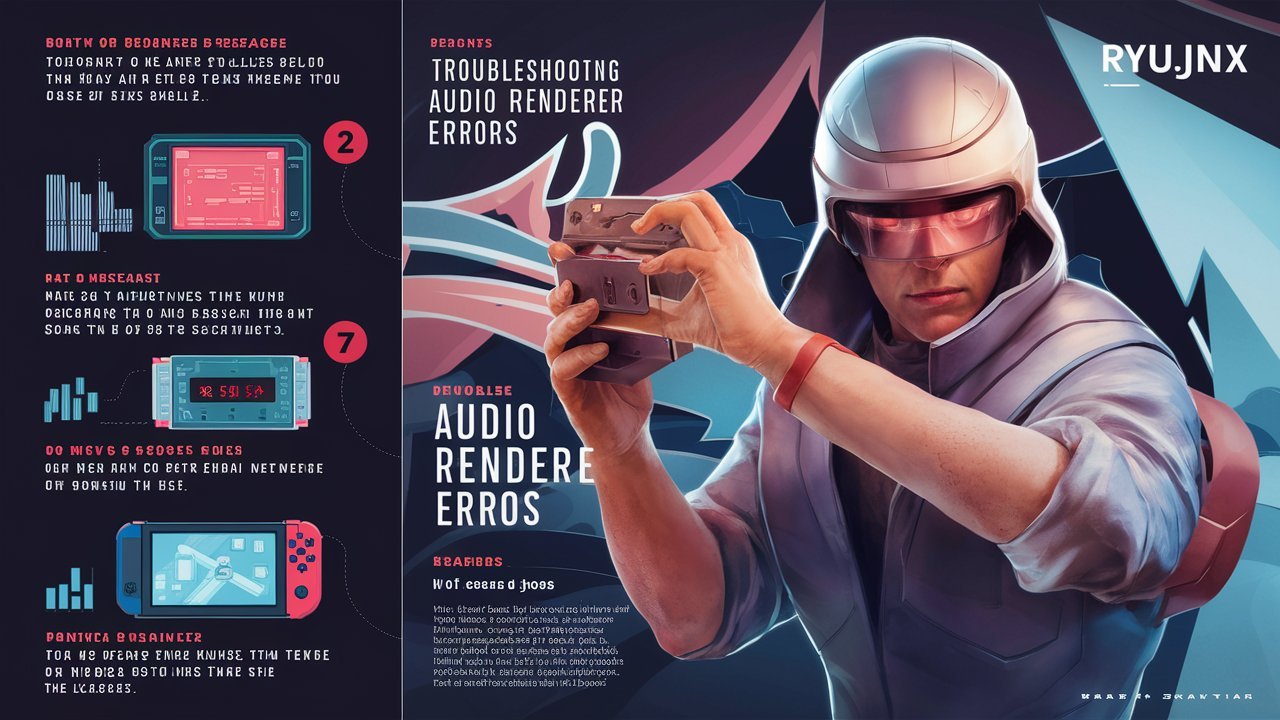
Ryujinx is one of the most popular Nintendo Switch emulators available today, known for its impressive compatibility, active development community, and ability to run many Switch games on Windows, Linux, and other supported platforms. While the emulator generally delivers a smooth gaming experience, users occasionally encounter technical problems that affect performance and gameplay. One of the most frequently reported issues is the Ryujinx Audio Renderer Error. This error typically occurs when the emulator cannot properly initialize or communicate with the system’s audio hardware, resulting in missing sound, distorted audio, startup failures, crashes, or interruptions during gameplay.
Audio processing is an essential component of modern game emulation. Many games depend on synchronized music, sound effects, voice acting, and timing-based audio events to function correctly. When the audio renderer fails, the emulator may struggle to maintain stability, leading to a poor user experience. Fortunately, most audio renderer issues can be resolved through proper troubleshooting. Understanding the causes behind the Ryujinx Audio Renderer Error and learning how to apply effective fixes can help users restore normal functionality and enjoy uninterrupted gameplay.
What Is the Ryujinx Audio Renderer Error?
The Ryujinx Audio Renderer Error is an issue that occurs when the emulator cannot successfully initialize the audio subsystem required for sound processing. The audio renderer serves as the bridge between Ryujinx and the computer’s audio hardware. If this connection fails, the emulator may be unable to generate, process, or output sound correctly.
In some cases, the error appears immediately when launching the emulator or starting a game. In others, users may encounter the issue after updating software, changing audio devices, modifying settings, or installing new hardware. Regardless of when it appears, the error generally indicates that Ryujinx is having difficulty accessing or communicating with the selected audio device.
Common Symptoms of the Audio Renderer Error
Users experiencing this problem often report several recognizable symptoms.
Common signs include:
- No audio during gameplay
- Emulator crashes on startup
- Games freezing unexpectedly
- Audio crackling or distortion
- Delayed sound effects
- Error messages related to audio rendering
- Sudden loss of sound while playing
- Inconsistent emulator performance
Recognizing these symptoms can help users identify whether the audio subsystem is the source of the problem.
Main Causes of Ryujinx Audio Renderer Error
Outdated Audio Drivers
Audio drivers allow communication between the operating system and sound hardware. If drivers become outdated, corrupted, or incompatible, Ryujinx may fail to initialize audio properly. Driver issues are one of the most common causes of audio renderer errors and often occur after major operating system updates or hardware changes.
Outdated drivers can create compatibility problems that prevent the emulator from accessing audio resources correctly.
Incorrect Audio Device Configuration
Many users connect multiple audio devices to their computers, including speakers, headphones, Bluetooth headsets, USB sound cards, and monitors with built-in audio outputs. If Ryujinx is configured to use an unavailable or disconnected device, audio initialization may fail.
Ensuring that the correct playback device is selected can often resolve the issue quickly.
Audio Backend Problems
Ryujinx relies on audio backends to interact with system-level audio services. Incorrect backend settings or configuration conflicts may prevent the emulator from establishing a stable audio connection.
Users who frequently modify advanced settings are more likely to encounter backend-related issues.
Corrupted Emulator Configuration Files
Configuration files store important settings used by Ryujinx during startup. If these files become corrupted due to crashes, incomplete updates, or unexpected shutdowns, the emulator may encounter audio renderer errors.
Corrupted settings can interfere with device detection and audio initialization.
Windows Audio Service Failures
The Windows Audio service manages sound processing for applications running on the operating system. If this service stops responding or encounters errors, Ryujinx may lose access to audio hardware.
Restarting the service often resolves temporary communication failures.
Bluetooth Device Conflicts
Bluetooth audio devices sometimes introduce latency, synchronization issues, or connection interruptions. If a Bluetooth headset disconnects while Ryujinx is running, the emulator may fail to reinitialize the audio renderer correctly.
This can result in sudden audio loss or error messages.
How to Fix Ryujinx Audio Renderer Error
Restart the Emulator and Your Computer
A simple restart can eliminate temporary software conflicts and refresh communication between the emulator and audio hardware. Restarting the operating system also clears background processes that may interfere with sound functionality.
This is often the fastest troubleshooting step and should be attempted before making more advanced changes.
Update Audio Drivers
Installing the latest audio drivers can resolve compatibility issues and improve communication between the operating system and hardware.
To update audio drivers:
- Open Device Manager.
- Locate audio devices.
- Select the active sound hardware.
- Check for available driver updates.
- Install updates.
- Restart the computer.
Driver updates frequently resolve audio renderer problems.
Verify the Default Playback Device
Ensure that Windows is using the correct playback device.
Check whether:
- Speakers are connected properly.
- Headphones are detected.
- Bluetooth devices are paired correctly.
- USB audio interfaces are functioning.
Selecting the correct default device can immediately restore audio functionality.
Restart Windows Audio Services
Restarting audio services can refresh communication between applications and audio hardware.
Steps include:
- Open Services.
- Locate Windows Audio.
- Restart the service.
- Restart Windows Audio Endpoint Builder if necessary.
This often resolves temporary audio initialization issues.
Reset Ryujinx Audio Settings
Incorrect emulator settings can contribute to audio renderer failures.
Try:
- Resetting audio options to default values.
- Selecting a different audio backend.
- Reconfiguring sound settings.
- Removing problematic custom configurations.
Default settings often provide the most stable experience.
Reinstall Ryujinx
If configuration files become corrupted, reinstalling the emulator may be necessary.
Before reinstalling:
- Backup save data.
- Backup game configurations.
- Remove old settings files.
- Download the latest official version.
A clean installation frequently resolves persistent issues.
Disable Exclusive Audio Mode
Windows allows certain applications to take exclusive control of audio devices. While useful in some scenarios, this feature may occasionally interfere with emulators.
To disable exclusive mode:
- Open Sound Settings.
- Select the active playback device.
- Open Device Properties.
- Navigate to Advanced settings.
- Disable exclusive mode options.
Many users report improved compatibility after making this change.
Disconnect Unused Audio Devices
Having multiple audio devices connected simultaneously can sometimes confuse software attempting to initialize sound.
Consider disconnecting:
- Unused Bluetooth devices
- Secondary audio outputs
- Virtual audio software
- Additional USB sound hardware
Simplifying the audio environment can help identify conflicts.
Advanced Troubleshooting Techniques
If the issue persists, advanced troubleshooting may be required.
Potential solutions include:
- Reviewing Ryujinx log files
- Testing alternative audio hardware
- Creating a new user profile
- Performing a clean driver installation
- Disabling audio enhancement software
- Checking operating system event logs
These techniques can help isolate more complex problems.
Preventing Future Audio Renderer Errors
Preventive maintenance is often the best defense against recurring issues.
Recommended practices include:
- Keeping Ryujinx updated
- Maintaining current audio drivers
- Avoiding abrupt device disconnections
- Updating Windows regularly
- Backing up emulator settings
- Using reliable audio hardware
Consistent maintenance helps ensure stable emulator performance.
Why Audio Stability Matters in Emulation
Accurate audio rendering is critical to the emulation process because games often rely on synchronized sound and timing mechanisms. Poor audio performance can affect not only the listening experience but also game responsiveness and emulator stability.
When the audio subsystem functions correctly, players benefit from smoother gameplay, accurate sound reproduction, and a more authentic gaming experience.
Conclusion
The Ryujinx Audio Renderer Error is a common but usually manageable issue that can result from outdated drivers, incorrect device settings, backend conflicts, corrupted configurations, or Windows audio service problems. Although encountering the error can be frustrating, most users can resolve it through systematic troubleshooting, including updating drivers, verifying audio devices, restarting services, adjusting emulator settings, and reinstalling Ryujinx when necessary. Understanding the causes behind the error and following best practices for system maintenance can help prevent future problems and ensure a smoother, more enjoyable gaming experience.


The keyword Kompama has sparked curiosity among internet users searching for its meaning, origin, and possible applications. While Kompama is not currently recognized as a standard English dictionary word, unique terms like this are increasingly used as brand names, startup identities, software platforms, digital communities, educational projects, or creative concepts. Their originality makes them memorable, easy to brand, and highly effective for search engine optimization (SEO).
In today’s digital world, businesses and creators often choose distinctive names that are unlikely to be confused with existing brands. This approach improves online visibility, strengthens brand identity, and helps audiences quickly recognize a product or service. In this comprehensive guide, we explore everything currently known about Kompama, including its possible origins, practical applications, branding opportunities, SEO benefits, and future potential. Whether you discovered the keyword through online research or are considering using it for a project, this article provides a detailed resource to help you understand its significance.
SEO-Friendly Title Ideas with Keywords
1. Kompama Explained: Meaning, Origin, and Complete Guide
Primary Keywords
- Kompama
- Kompama meaning
- Kompama origin
- What is Kompama
Keyword Explanation
These keywords target informational searches from users who want to learn the definition, background, and possible origins of Kompama.
2. What Is Kompama? Everything You Need to Know
Primary Keywords
- What is Kompama
- Kompama guide
- Kompama explained
- Kompama information
Keyword Explanation
These keywords are ideal for readers looking for a beginner-friendly explanation while covering broad informational search intent.
3. Kompama: Uses, Benefits, and Future Opportunities
Primary Keywords
- Kompama uses
- Kompama benefits
- Kompama applications
- Kompama future
Keyword Explanation
These keywords appeal to users interested in practical applications and long-term potential.
4. Why Kompama Is Becoming Popular Online
Primary Keywords
- Kompama popularity
- Kompama online
- Kompama trend
- Kompama keyword
Keyword Explanation
These keywords focus on users searching for trending topics and the growing online visibility of the term.
What Is Kompama?
Kompama is a unique keyword that may represent a business, software application, technology platform, educational initiative, digital community, creative project, or brand identity. Since it is not a commonly used English word, its exact meaning depends on the context in which it appears.
Distinctive keywords like Kompama are increasingly valuable because they provide excellent branding opportunities. Unlike generic terms that compete with millions of search results, uncommon names allow businesses and creators to establish a recognizable identity while targeting highly specific audiences.
As online competition grows, originality has become an important asset. A memorable keyword such as Kompama helps organizations differentiate themselves while improving their chances of ranking well in search engines.
Possible Origins of Kompama
Although there is no universally accepted definition of Kompama, several possibilities explain how the term may have originated.
It could have been created as:
- A startup or company name.
- A software or mobile application.
- A digital marketing brand.
- An educational or research project.
- A creative media title.
- A gaming platform or online community.
- A proprietary technology solution.
Many successful companies intentionally invent unique names because they are easier to trademark, remember, and optimize for search engines.
Why Kompama Is Gaining Attention
Unique keywords often become popular as businesses launch new products, developers introduce innovative platforms, or creators build online communities. Kompama may be attracting attention due to increased digital exposure or emerging brand recognition.
Possible reasons include:
- Search engine indexing.
- Social media discussions.
- Product launches.
- Online marketing campaigns.
- Educational references.
- Technology innovations.
- Community engagement.
As more people encounter the term, search interest naturally increases, creating opportunities for informative content to rank well.
Potential Applications of Kompama
The flexibility of Kompama makes it suitable for a wide variety of industries and projects.
Technology
Kompama could represent cloud software, artificial intelligence tools, cybersecurity services, productivity applications, or digital platforms.
Business and Branding
Companies seeking a memorable and original identity may adopt Kompama as a business or product name, helping distinguish themselves in competitive markets.
Education
Educational institutions or online learning providers could use the name for research initiatives, digital learning environments, or specialized academic programs.
Creative Industries
Artists, writers, filmmakers, musicians, and designers often choose unique names for books, albums, games, digital media, or multimedia projects. Kompama could easily function as a recognizable creative title.
Benefits of Using Kompama as a Brand
Choosing a unique keyword provides several strategic advantages.
Low SEO Competition
Because Kompama is uncommon, optimized content has a greater chance of ranking for related searches.
Memorable Identity
A distinctive name is easier for customers and audiences to remember.
Brand Recognition
Unique branding strengthens credibility while helping businesses stand out from competitors.
Versatility
Kompama can be adapted for technology, consulting, education, retail, entertainment, healthcare, or nonprofit organizations.
Domain Availability
Original names often have greater availability for website domains and social media usernames.
SEO Advantages of Kompama
Search engine optimization benefits significantly from targeting distinctive keywords.
Targeted Organic Traffic
Visitors searching specifically for Kompama are generally looking for highly relevant information, increasing the quality of website traffic.
Topical Authority
Publishing multiple informative articles around Kompama helps establish expertise and improves website authority.
Improved Visibility
Optimized content that naturally incorporates the keyword in headings, metadata, and body text is more likely to gain visibility as search interest grows.
Content Expansion
Businesses can build comprehensive content libraries by publishing tutorials, FAQs, news updates, reviews, and related guides connected to Kompama.
Characteristics of Kompama
Several qualities make Kompama attractive as a modern digital keyword:
- Unique.
- Professional.
- Easy to pronounce.
- Easy to remember.
- Search-engine friendly.
- Brandable.
- Suitable for international audiences.
These characteristics contribute to its long-term value as an online identity.
Best Practices for Using Kompama
Organizations and creators can maximize the effectiveness of Kompama by following several proven practices.
Maintain consistent spelling across all websites, social media platforms, and marketing materials. Publish high-quality, original content that naturally incorporates the keyword into titles, headings, and descriptions. Optimize metadata, image alt text, and internal links while updating content regularly to keep information relevant and accurate.
A consistent branding strategy helps audiences recognize the name while improving overall search visibility.
Future Potential of Kompama
As technology and digital marketing continue evolving, unique keywords often become recognized brands with loyal communities. Kompama has the flexibility to grow into a successful identity for software, artificial intelligence, education, entertainment, e-commerce, consulting, or creative industries.
Future opportunities may include:
- AI-powered applications.
- SaaS platforms.
- Online education services.
- Creative digital media.
- Business consulting.
- E-commerce marketplaces.
- Community-driven projects.
Its originality provides an excellent foundation for innovation and long-term growth.
Common Misconceptions About Kompama
Because Kompama is uncommon, some people may mistakenly assume it is:
- A spelling mistake.
- A random internet phrase.
- A temporary online trend.
- A software error code.
- A foreign-language word.
- An acronym.
- A fictional name without practical use.
Without context, these assumptions may not accurately reflect the intended purpose of the keyword.
Conclusion
Kompama is a distinctive and memorable keyword with strong potential for branding, digital marketing, and search engine optimization. Whether it represents a technology platform, educational initiative, business, creative project, or another specialized concept, its originality makes it well suited for establishing a recognizable online presence. By publishing authoritative, informative, and regularly updated content around Kompama, businesses and content creators can attract targeted audiences, strengthen credibility, and build lasting visibility in search engine results.


 Tech4 months ago
Kompama: The Complete Guide to Its Meaning, Origins, Uses, Benefits, and Digital Potential
- Business4 months ago
Business Process Optimization Explained: Increase Productivity and Reduce Costs
- Blog4 months ago
FlixHQ: Complete Guide to the Popular Streaming Platform
- Entertainment4 months ago
YTMP3 Guide: Understanding YouTube-to-MP3 Conversion Tools
- Sports4 months ago
İlkay Gündoğan Career: Clubs, Records, Awards, and Playing Style Explained
- Blog4 months ago
Portar Leisa: Complete Guide, Meaning, Possible Origins, Uses, and Everything You Should Know
- Business4 months ago
How to Use Illinois Business Entity Search to Verify a Business
- Lifestyle4 months ago
How to Wash a Wool Sweater: The Complete Guide to Cleaning and Caring for Wool